
6.4. ECU activation
This screen contains functions to activate, deactivate and replace an ECU. Additionally it is possible to override a Specification Mismatch error code. The ECU replacement procedure requires that you have registered to EEMService.com. See EEMService.com instructions for registration instructions. The ECU replacement procedure itself has detailed instructions for each step of the procedure.
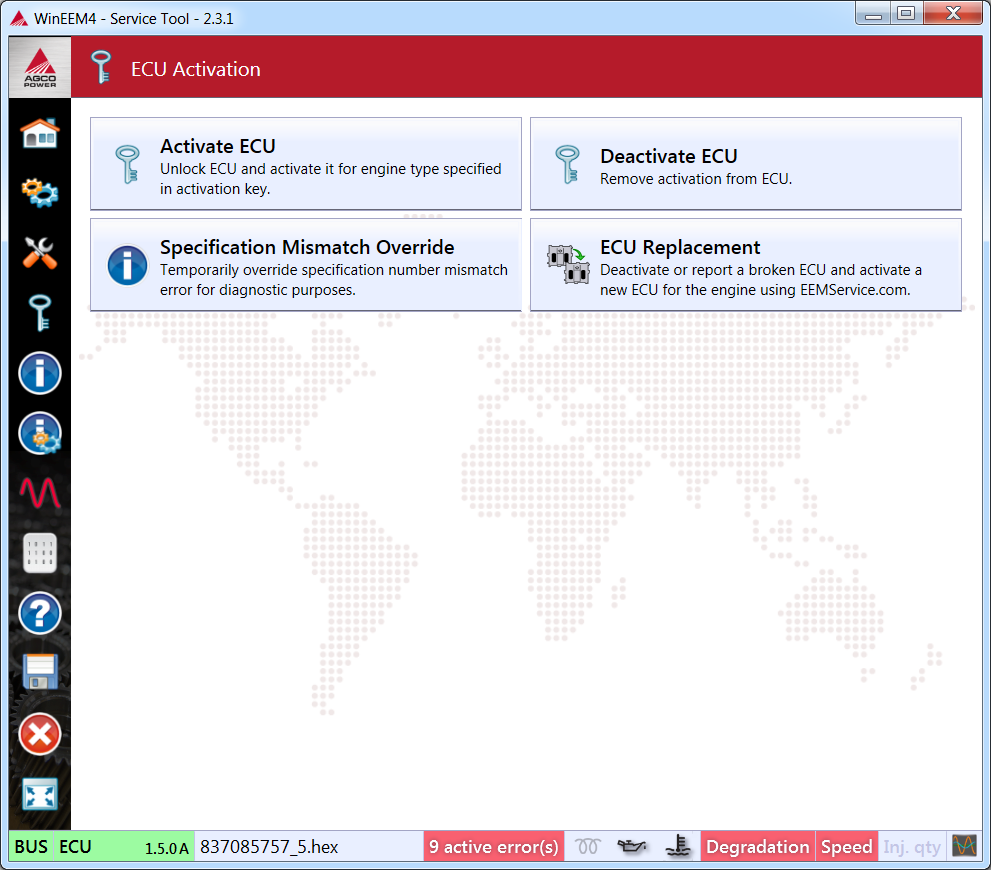
ECU activation
6.4.1. Requirements
- An activation key for the EEM4 ECU and the engine provided by AGCO Power Inc.
- A CAN bus connection to the ECU.
- A power supply to engine the ECU while the engine is not running.
6.4.2. ECU activation procedure
- Open the connection, if it is not already open.
- Press the Activate ECU button and select a suitable activation file (.key extension). See figure Activate ECU dialogue.
- Verify that the engine serial number matches the serial number printed on the engine block.
- Press the Activate button to activate the ECU
- Verify that the fault code “SPN 520230 FMI 31 Engine specification mismatch” is no longer active.
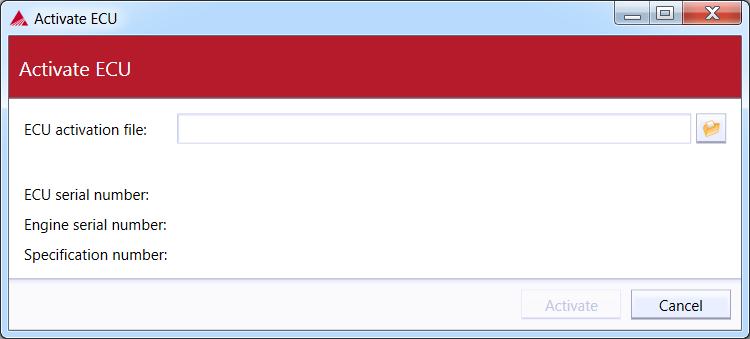
Activate ECU dialogue
The ECU will reject the activation key, if it is for a different ECU. The Fault code “SPN 520230 FMI 31 Engine specification mismatch” will stay active, if the activation key is for a different engine specification than the software in the ECU.
6.4.3. ECU activation removal procedure
Pressing the Deactivate ECU button removes the activation from the connected ECU. Now the engine cannot be run at full power. Use this function with a broken ECU before replacing it with a new one.
6.4.4. Specification Mismatch Override
Temporarily override a fault code that occurs when ECU is not properly activated. You can view remaining override time by hovering with your mouse cursor over information icon next to active errors counter on the status bar.
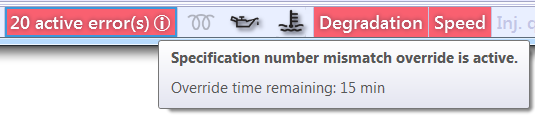
Specification Mismatch override time