
6.1.1. Connecting to ECU
Start the Service Tool and select Connect to ECU.
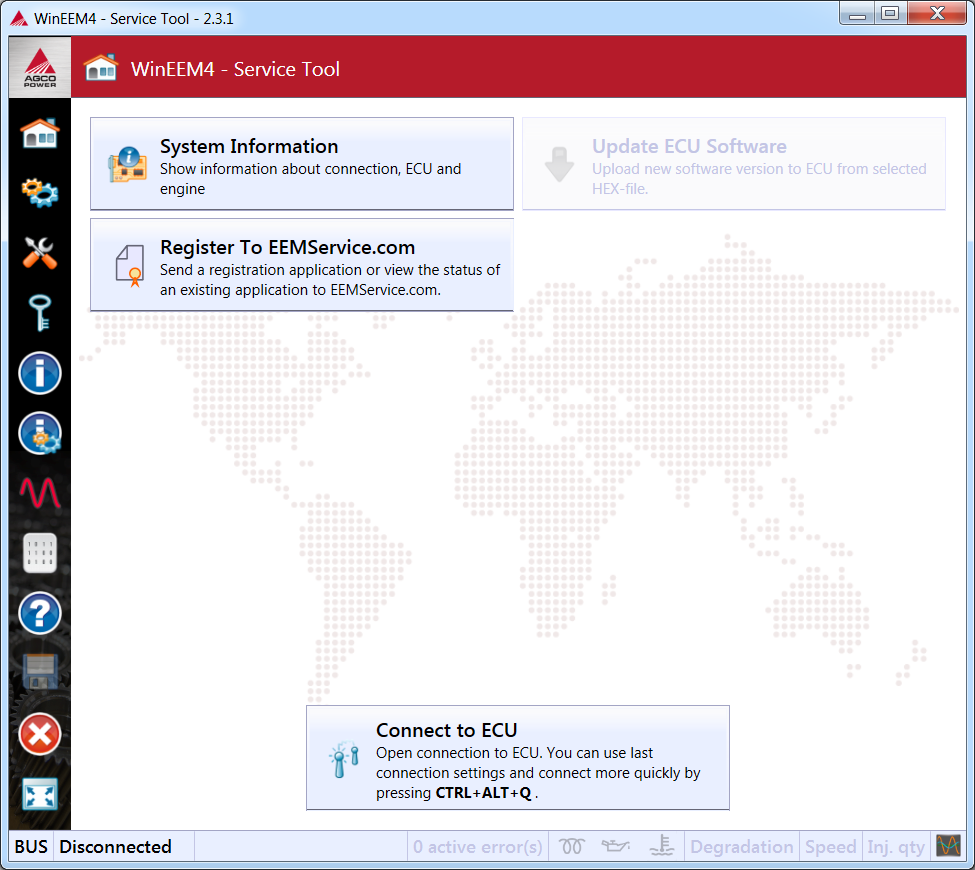
Start-up screen
press Connect button in the Open connection dialog.
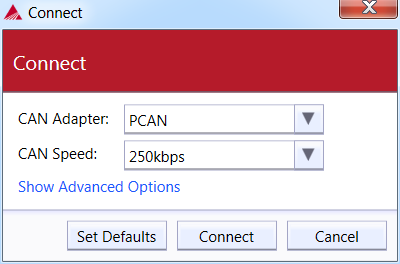
Open connection dialog
By pressing the Show advanced options expander you will be able to adjust the additional settings. If for example the previous software loading was interrupted, you might need to select the ECU hardware configuration manually.
Enter the connection settings to the Open connection dialog.
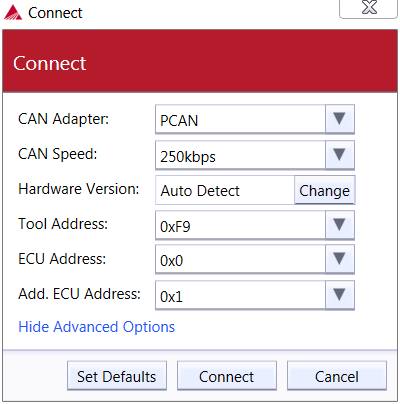
Open the connection dialog advanced settings
For the hardware configuration press the Change button. Please see the engine label for a correct engine type and select it from the list on the Engine label tab.
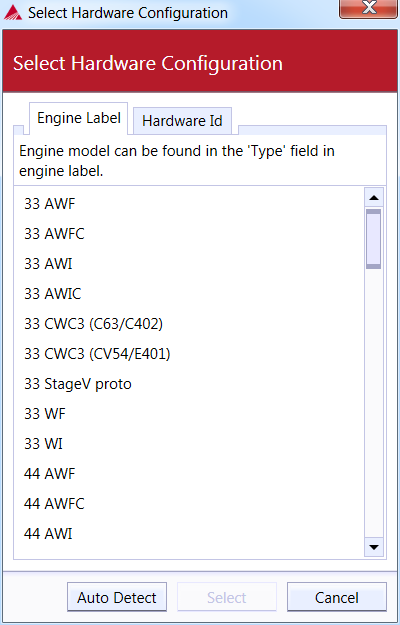
The engine type selection for hardware configuration
If you know the ECU type, then you can use the Hardware Id tab.
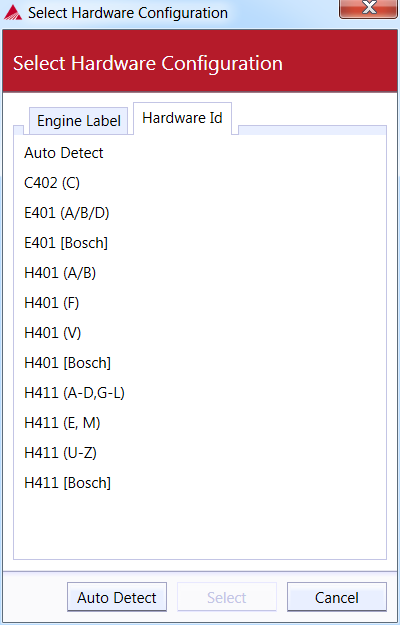
The ECU type selection for hardware configuration
Set the connection parameters properly and press the Connect button. The service tool will then start connecting to the ECU. Upon a successful connection you will see the indicator at the bottom left corner of the Service Tool window:

The connection status indicator
| Status | Description |
|---|---|
| ECU (SW version - hex file name) | Successful connection to ECU |
| Disconnected | No connection to ECU |
| CAN | CAN adapter (Peak PCAN USB) found |
| Security access | Service tool is trying to open service session with ECU. It may take up to 10s. If it is taking too long, disconnect and try connecting again. |
| Programming | ECU software is being downloaded to ECU |
| Bootloader | ECU found from the CAN bus, but opening the connection has failed. This may be caused by two reasons: (1) ECU does not have running application. For instance if previous SW update has failed. (2) Wrong connection parameters. |
See figure The connection status indicator